STEP 1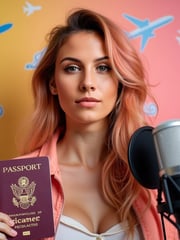
+
Upload image
Upload a youtube thumbnail reference photo
Add a selfie, portrait, product flat lay, or model shot as your youtube thumbnail reference, or start from a text prompt.
PhotoGPT Preset
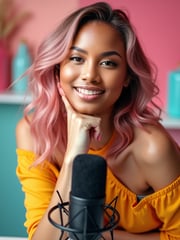
Stand out on YouTube with AI generated thumbnails that grab attention and drive engagement. From graphics to visuals, our AI generated images make it easy to create eye-catching thumbnails that showcase your content.
The PhotoGPT difference
Love this style? Your own AI model gives you every style - as the same you.
Upload image
Add a selfie, portrait, product flat lay, or model shot as your youtube thumbnail reference, or start from a text prompt.
Realistic youtube thumbnail AI image, polished lighting, detailed styling, clean background, and professional finish.
Describe the youtube thumbnail look using color, lighting, pose, outfit details, backdrop, and mood.
Create realistic HD youtube thumbnail results in seconds, refine the prompt, download your image, or turn a favorite result into video.
Create dynamic and engaging thumbnails that draw viewers in. Whether you’re vlogging, teaching, or entertaining, our AI-generated photos help you craft visuals that boost your click-through rates.
Transform your video promotions with thumbnails that stand out not just on YouTube but also on social media. Perfect for creators sharing content previews and updates across platforms.
Tailor your thumbnails to reflect your content and personal brand. Experiment with bold text overlays, vibrant colors, and expressive AI photos to create unique and impactful visuals.
Our AI image generator provides everything you need to create professional, click-worthy thumbnails. Upload your photo, select a theme, and instantly generate visuals that elevate your video content.
Creator content
|Social visuals
Turn one idea into polished youtube thumbnail images in minutes, with lighting and styling that feels ready to post.
Shoot planning
|Photographer workflow
Preview youtube thumbnail concepts before a shoot so the visual direction is easier to compare, explain, and refine.
Campaign testing
|Marketing workflow
Test multiple youtube thumbnail looks for campaign content without booking a full production day for every concept.
Moodboards
|Design workflow
Explore poses, backgrounds, and style details for moodboards, social previews, and client concept directions.
Feed refreshes
|Creator workflow
Create fresh youtube thumbnail visuals faster, then refine the prompt until the final image matches a brand or feed.
Production options
|Brand workflow
Give teams more visual options before production, from first look exploration to polished final creative directions.
Preset FAQ
Related presets
Try adjacent PhotoGPT presets to create more realistic looks, campaigns, and polished visual styles.
Create Instagram-ready AI images with scroll-stopping styling, polished creator looks, and visual content built for engagement.
Create Black Friday AI images for sale banners, social campaigns, paid ads, and promotional visuals that feel bold and conversion-ready.
Create OnlyFans AI images with stylized creator visuals, exclusive-looking content, and polished scenes designed for subscriber-driven branding.
Create luxury lifestyle AI images with mansions, designer looks, private travel, and aspirational editorial-style scenes.
Rev up the chaos! Our AI-powered GTA VI: High Tide Pursuit image generator lets you craft intense, high-octane scenes straight out of Vice City. Picture neon-lit chases, speedboats slicing through waves, and explosive action under the Miami sun.
Explore ready-made AI presets for professional photos, creator content, product visuals, fantasy portraits, and branded images. Start with a style, then customize the result.
Generate, edit, upscale, and animate high-quality visuals from one AI creator studio.
Get Started Free