STEP 1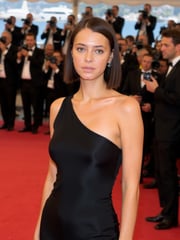
+
Upload image
Upload a cannes reference photo
Add a selfie, portrait, product flat lay, or model shot as your cannes reference, or start from a text prompt.
PhotoGPT Preset
Generate Cannes AI photos with red carpet styling, cinematic festival energy, and French Riviera luxury in a polished editorial look.
The PhotoGPT difference
Love this style? Your own AI model gives you every style - as the same you.
Upload image
Add a selfie, portrait, product flat lay, or model shot as your cannes reference, or start from a text prompt.
Realistic cannes AI image, polished lighting, detailed styling, clean background, and professional finish.
Describe the cannes look using color, lighting, pose, outfit details, backdrop, and mood.
Create realistic HD cannes results in seconds, refine the prompt, download your image, or turn a favorite result into video.
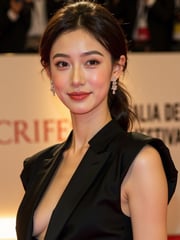
Step into a cinematic Cannes-inspired scene with AI images built for red carpet portraits, premiere-night styling, and polished festival glamour. The Cannes preset adds elegant wardrobe direction, paparazzi lighting, luxury backdrops, and editorial composition so your photos feel ready for a film festival arrival.
Use the Cannes preset to move beyond a basic portrait and create a full festival-world image: coastal evening light, luxury hotels, yacht-side atmosphere, formal fashion, and confident camera-facing poses. It is designed for images that feel aspirational, cinematic, and unmistakably Riviera-inspired.
The Cannes preset works well with both simple and detailed prompts. Start with a core idea like a black-tie premiere portrait, then add specifics such as wardrobe color, flash photography, ocean-view background, jewelry, sunglasses, or a dramatic film-poster mood to guide the final AI image.
Creator content
|Social visuals
Turn one idea into polished cannes images in minutes, with lighting and styling that feels ready to post.
Shoot planning
|Photographer workflow
Preview cannes concepts before a shoot so the visual direction is easier to compare, explain, and refine.
Campaign testing
|Marketing workflow
Test multiple cannes looks for campaign content without booking a full production day for every concept.
Moodboards
|Design workflow
Explore poses, backgrounds, and style details for moodboards, social previews, and client concept directions.
Feed refreshes
|Creator workflow
Create fresh cannes visuals faster, then refine the prompt until the final image matches a brand or feed.
Production options
|Brand workflow
Give teams more visual options before production, from first look exploration to polished final creative directions.
Preset FAQ
Related presets
Try adjacent PhotoGPT presets to create more realistic looks, campaigns, and polished visual styles.
Create glamorous Met Gala AI images with couture styling, red-carpet energy, paparazzi lighting, and fashion-editorial drama.
AI glamour generator for realistic luxury portraits, polished beauty looks, HD fashion-editorial visuals, and private creation.
Create New York Film Festival AI photos with film festival outfits, red-carpet portraits, screening arrivals, movie-premiere scenes, and filmmaker Q&A moments.
Create luxury lifestyle AI images with mansions, designer looks, private travel, and aspirational editorial-style scenes.
Create cinematic AI images with dramatic lighting, film-style composition, story-driven scenes, and blockbuster-inspired visual mood.
Explore ready-made AI presets for professional photos, creator content, product visuals, fantasy portraits, and branded images. Start with a style, then customize the result.
Generate, edit, upscale, and animate high-quality visuals from one AI creator studio.
Get Started Free