Photogpt
People Swap

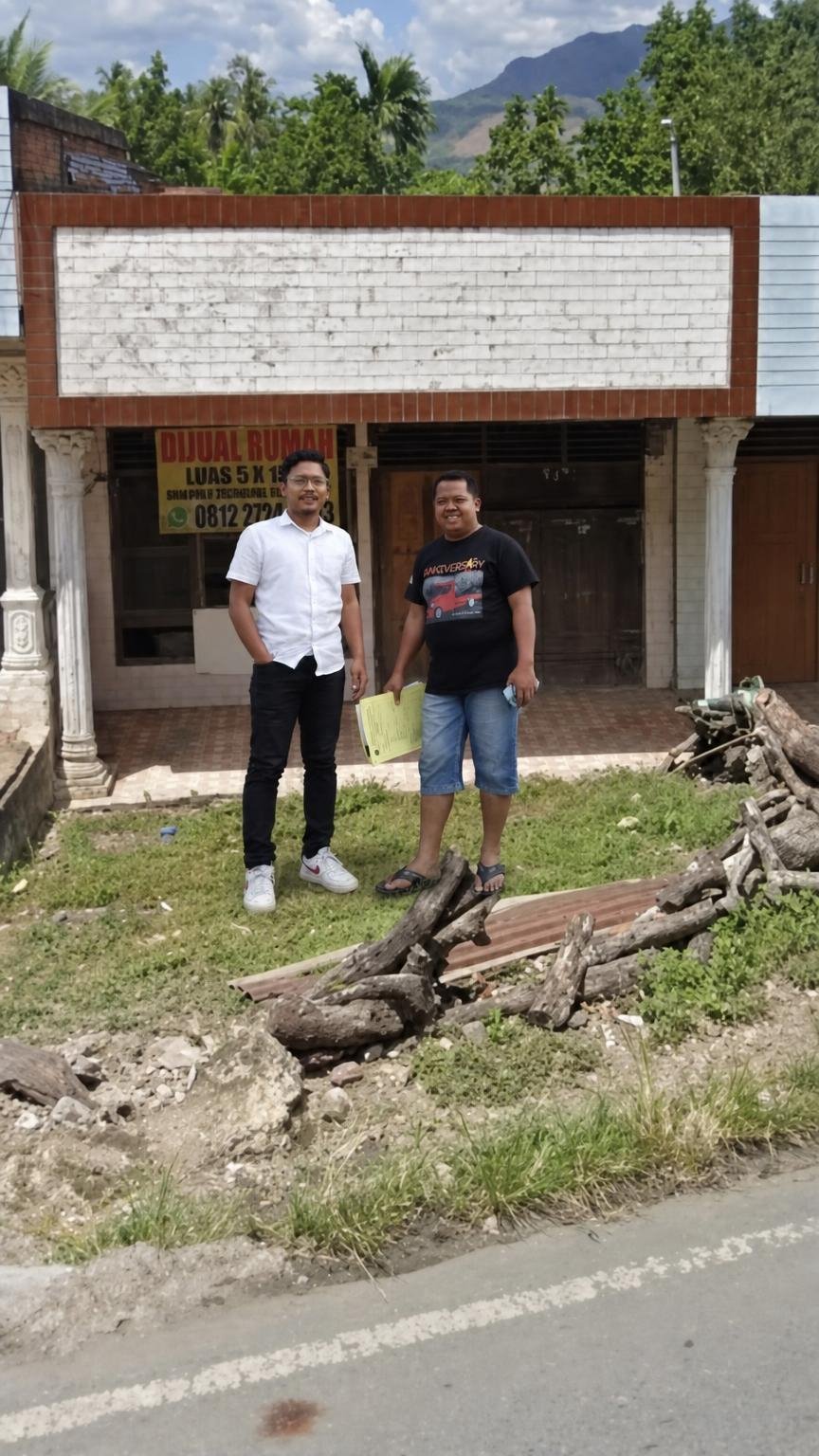
Use Image 1 strictly as the base image, location, environment, architecture, camera perspective, and composition reference. Use Image 2 strictly as the people/subject reference. Use Image 3 strictly as the placement and integration reference for the desired final result.
Seamlessly insert the two men from Image 2 into Image 1, so they appear naturally standing in front of the building, matching the approximate positions, scale, spacing, and full-body composition shown in Image 3.
### SUBJECT PRESERVATION — IMAGE 2
Keep both men exactly recognizable from Image 2.
Preserve for each person:
- Face and identity
- Facial features
- Skin tone
- Hairstyle
- Body proportions
- Body shape
- Clothing
- Shoes
- Accessories
- Glasses
- Expressions
- Natural appearance
Do not replace, redesign, beautify, stylize, or alter their identities.
The man wearing the white shirt and dark pants should remain exactly recognizable, including his glasses, hairstyle, white shirt, dark trousers, and white sneakers.
The man wearing the black graphic T-shirt and denim shorts should remain exactly recognizable, including his hairstyle, facial features, black T-shirt, denim shorts, footwear, and the document/paper he is holding.
### PLACEMENT
Place the two men naturally in front of the building from Image 1.
Match Image 3 as the placement guide:
- Full bodies visible
- Standing naturally on the ground
- Correct scale relative to the building
- Natural spacing between them
- White-shirt man positioned slightly toward the left
- Black-shirt man positioned slightly toward the right
- Both realistically integrated into the foreground
Their feet must make proper contact with the ground.
Ensure correct perspective and scale according to the camera angle of Image 1. They should not appear pasted, floating, oversized, undersized, or distorted.
### STRICT IMAGE 1 PRESERVATION
Keep everything from Image 1 unchanged except for adding the two men.
Preserve exactly:
- Building architecture
- White brick signboard
- Brown tile framing
- Columns
- Doors and windows
- Signboard
- Grass
- Logs and debris
- Road
- Foreground
- Trees
- Mountains
- Sky
- Lighting
- Camera angle
- Camera distance
- Perspective
- Composition
Do not redesign or reconstruct the building.
### SEAMLESS REALISTIC INTEGRATION
Make the inserted people look like they were genuinely photographed at the same location and at the same moment.
Match Image 1's:
- Sunlight direction
- Shadow direction
- Shadow softness
- Exposure
- Color temperature
- Contrast
- Camera perspective
- Lens characteristics
- Depth of field
- Image sharpness
- Environmental lighting
Generate realistic contact shadows directly beneath their shoes, consistent with the sunlight in Image 1.
Add subtle environmental interaction where necessary, including natural shadows and realistic grounding into the grass and tiled surface.
The lighting on their faces, clothing, and bodies must match the outdoor lighting conditions of Image 1.
### FINAL RESULT
The final image should look exactly like a single authentic photograph, as if the two men were physically standing in front of the building when Image 1 was originally taken.
Do not make it look like Photoshop compositing or AI-generated insertion.
Photorealistic subject integration, perfect perspective matching, accurate scale, realistic sunlight, natural contact shadows, consistent camera optics, seamless environmental blending, authentic skin texture, realistic clothing details, documentary-style photography.
No face changes, no identity changes, no clothing changes, no pose distortion, no extra people, no duplicated limbs, no floating feet, no incorrect shadows, no altered building, no background replacement, no warped architecture, no artificial edges, no cutout appearance, no cartoon effect, no AI artifacts.

PhotoGPT 的AI 图片

提示词

People Swap Use Image 1 strictly as the base image, location, environment, architecture, camera perspective, and composition reference. Use Image 2 strictly as the people/subject reference. Use Image 3 strictly as the placement and integration reference for the desired final result. Seamlessly insert the two men from Image 2 into Image 1, so they appear naturally standing in front of the building, matching the…

尺寸864px x 1536px
参考图片
源图片 1
源图片 2

开始探索

加入拥有数千名活跃用户的 Discord 社区,了解最新提示词灵感并探索社区作品