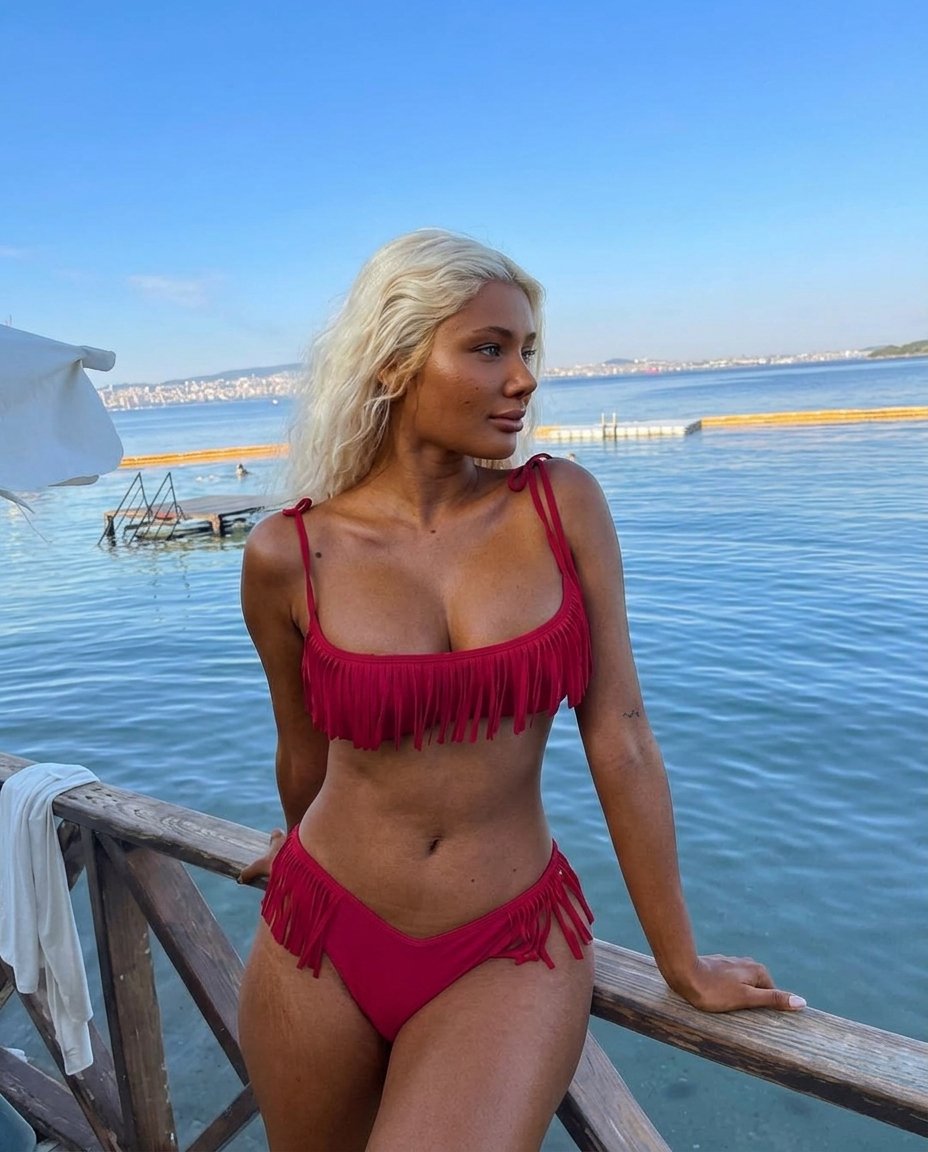
Photogpt
Use Image 1 strictly as the source image and Image 2 strictly as the skin-tone/complexion reference.
Keep the person in Image 1 completely unchanged in every respect except their skin color and complexion.
PRIMARY INSTRUCTION — EXACT SKIN TONE TRANSFERChange the person's entire visible skin tone in Image 1 to closely match the actual natural skin tone of the person in Image 2.
Do not merely darken, brighten, tan, desaturate, or apply a color filter. Perform a true photorealistic skin-tone transformation.
Carefully analyze Image 2 and reproduce its actual:
Overall skin depth
Lightness/darkness level
Warm or cool undertone
Hue
Saturation
Natural brown/red/golden undertones
Highlight coloration
Shadow coloration
Overall complexion appearance
Natural variation across different parts of the body
Image 2 is the definitive target for the skin complexion. Match it as closely as possible rather than choosing an approximate generic skin tone.
The resulting person should have the same complexion appearance as the person in Image 2, while remaining the exact same person from Image 1.
FULL-BODY CONSISTENCYApply the target skin tone consistently to ALL visible skin, not just the face.
This includes:
Face
Ears
Neck
Shoulders
Chest
Back
Arms
Forearms
Hands
Fingers
Legs
Feet
Any other exposed skin
If additional body areas are visible because of the original framing, maintain the same target complexion throughout the entire body.
There must be no mismatch between face, neck, shoulders, arms, hands, torso, or legs.
PRESERVE NATURAL SKIN DETAILChange the color and complexion without destroying the original photographic skin detail.
Preserve:
Natural pores
Fine lines
Small skin imperfections
Moles and marks
Existing skin texture
Natural highlights
Existing shadows
Realistic subsurface skin appearance
Original lighting interaction
The new complexion must respond naturally to the existing lighting in Image 1.
Do not paint the skin with a flat uniform color. Maintain realistic tonal variation while keeping the overall complexion faithful to Image 2.
ABSOLUTE IMAGE 1 PRESERVATIONEverything other than skin tone must remain exactly as Image 1.
Do NOT change:
Face shape
Facial features
Identity
Eyes
Nose
Lips
Teeth
Hairstyle
Hair color
Body shape
Body proportions
Pose
Hands or fingers
Facial expression
Clothing
Accessories
Background
Environment
People in the background
Objects
Camera angle
Camera distance
Lens
Perspective
Framing
Crop
Lighting direction
Lighting intensity
Shadows
Reflections
Depth of field
Image composition
Do not copy anything from Image 2 except its skin complexion.
Do not copy Image 2's face, facial structure, hairstyle, body, clothing, pose, background, lighting, or photography style.
IMPORTANT — NO COLOR FILTERDo not apply a global brown/black/tan color overlay to the photograph.
Only the person's skin pixels should be transformed. Keep hair, clothing, eyes, teeth, jewelry, background, and every non-skin element unchanged.
Do not simply reduce brightness or increase contrast to make the person appear darker.
The target complexion should look naturally produced by real skin pigmentation under the exact lighting conditions of Image 1.
FINAL RESULTThe final image should look like the exact original photograph in Image 1, with the exact same person, pose, camera, environment and lighting — but with their natural skin complexion accurately matching the complexion shown in Image 2.
Photorealistic skin transformation, exact complexion matching, full-body consistency, realistic pigmentation, natural undertones, realistic skin texture, physically accurate highlights and shadows, seamless integration, high-resolution photography.
NO approximate skin tone. NO generic dark skin. NO color overlay. NO tan effect. NO face alteration. NO identity alteration. NO body alteration. NO clothing alteration. NO background alteration. NO lighting alteration. NO beauty filter. NO plastic skin.

Imagen con IA de PhotoGPT

Prompt

Use Image 1 strictly as the source image and Image 2 strictly as the skin-tone/complexion reference. Keep the person in Image 1 completely unchanged in every respect except their skin color and complexion. PRIMARY INSTRUCTION — EXACT SKIN TONE TRANSFERChange the person's entire visible skin tone in Image 1 to closely match the actual natural skin tone of the person in Image 2. Do not merely darken, brighten, tan,…

Tamaño928px x 1152px
Imágenes de referencia


Imagen de origen 1
Imagen de origen 2

Empieza a explorar

Únete a nuestra comunidad de Discord con miles de usuarios activos, descubre las últimas ideas para prompts y explora las creaciones de la comunidad